
How Does WOLFTV Work? A Complete Beginner's Guide
WOLFTV (Internet Protocol Television) delivers live TV channels and on-demand programs over the Internet Protocol (IP). In short: it's television via the Internet—a modern, flexible, and stable way to watch compared to legacy analog systems. This page covers what WOLFTV is and how to start—step by step.
What Is WOLFTV & Why It's Different
Traditional TV sends the same broadcast to everyone at once. WOLFTV sends streams individually to your device using Internet protocols. That means on-demand control, multi-device access, and smarter features like program guides (EPG) and catch-up.
Tap the device you want





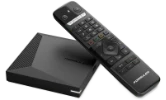
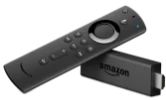
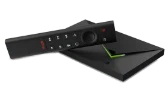
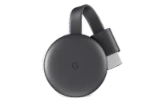

Or browse by app
1Choose Your Device/App
Decide where you'll watch WOLFTV: mobile, desktop/laptop, smart TV, or a streaming stick/box. Then install the WOLFTV app from the App Store, Google Play, or your TV's app store.
- Mobile/Tablet (iOS, Android)
- Smart TV (Samsung, LG, Android TV, Google TV)
- Streaming devices (Fire TV/Stick, Android TV box)
- Computer (Windows/macOS via app or web player)
2Read the Setup Instructions
Open the instructions for your chosen device/app. When entering details from your welcome message, double-check spelling. Mistyped usernames, passwords, or server URLs are the most common setup issue.
3Sign In & Start Watching
You can now request a trial or purchase a package. After a trial, many users continue with a 3-month plan to test everything comfortably without interruptions.
- Enter the login credentials from your WOLFTV welcome email.
- If prompted, confirm you've read the guide by clicking "I have read the instructions."
- Choose a trial or complete your purchase to unlock all features.
Getting Started Checklist
- Chosen device (phone, smart TV, streaming stick, or computer)
- Installed WOLFTV app from the official store
- Welcome email with WOLFTV login credentials ready
- Read the WOLFTV app instructions fully
- Clicked "I have read the instructions." before signing in
WOLFTV FAQs
Is WOLFTV the same as cable or satellite?
No—WOLFTV uses Internet Protocol over your internet connection, while cable/satellite use dedicated broadcast networks.
What internet speed do I need?
As a general guideline, aim for ~10 Mbps for HD and ~25 Mbps for 4K per active stream for a smooth experience.
Where do I get my WOLFTV login details?
Your credentials arrive in your welcome email. Use those exact details inside your WOLFTV app/device.
Do I need to read the WOLFTV app guide first?
Yes. Please read the instructions for your WOLFTV device/app before you sign in.
It won’t log in — what should I check?
The most common issues are typos and spacing. Copy credentials exactly from your welcome email. Check your internet connection, disable any VPN, and ensure date/time on your device is set automatically.
Does WOLFTV work while traveling?
In most cases yes, as long as your connection is stable and fast enough. Some hotel or public networks may restrict streaming.